The product, by stage.
Every screen below is from the current build, light theme, at the size an agent sees it.
Pipeline
One list with a preview pane, six stages as primary tabs, the queues of each stage as secondary tabs. Most decisions happen in the preview; the full record is one click away.
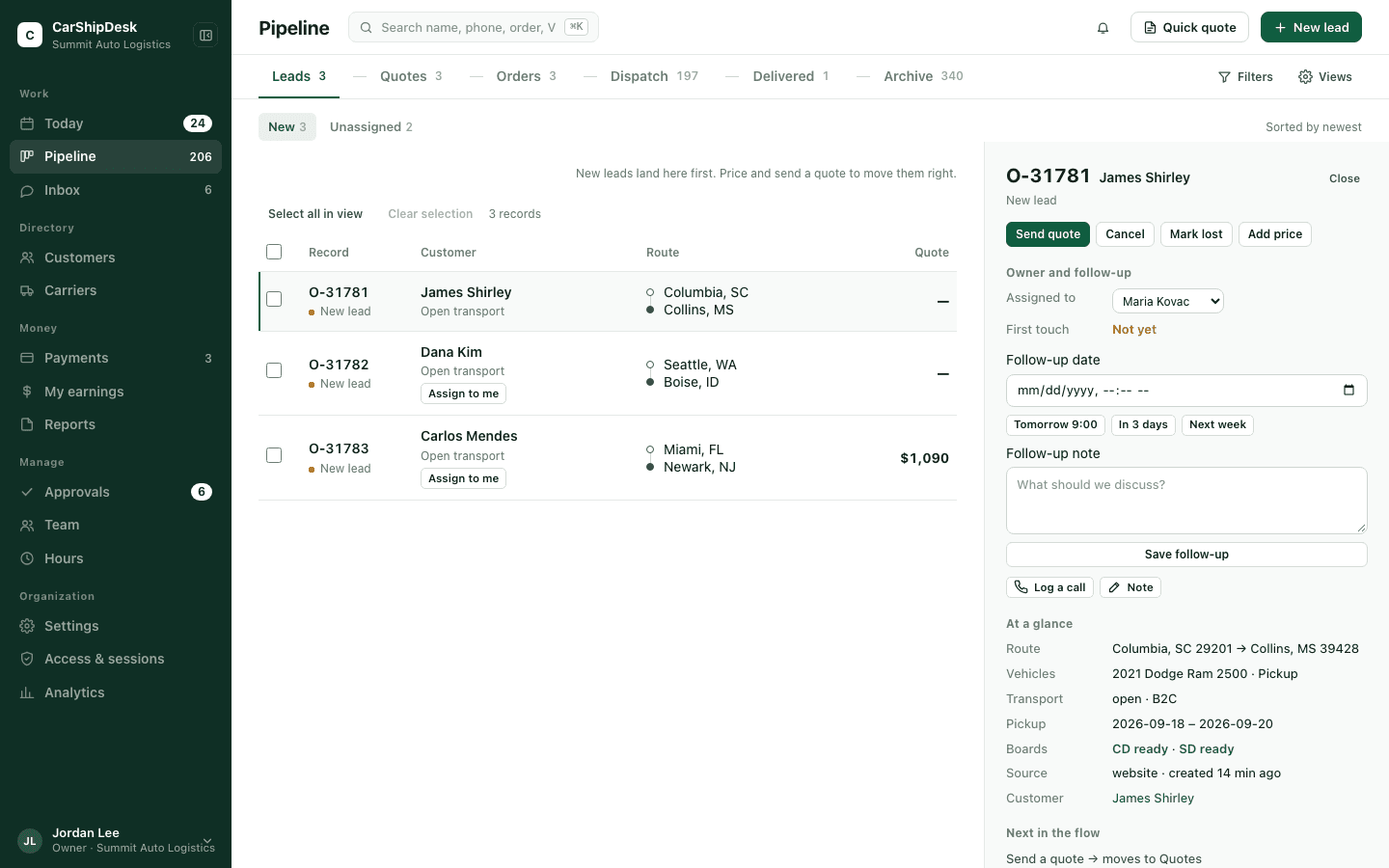
The stage bar. Counts are live, and a record is never in two stages at once.
| Stage | Queues inside it | A record enters when | And leaves when |
|---|---|---|---|
| 1Leads | New | Intake from any source; assigned by routing rules. | A quote is sent. |
| 2Quotes | Quoted, Follow-up today, Overdue, Viewed no reply, Hold, All | Quote sent; a follow-up date is set from the desk’s cadence. | Converted to an order, or cancelled or lost with a reason. |
| 3Orders | Ready to post, Listed, All | Conversion; contract and deposit are tracked here. | A carrier is dispatched. |
| 4Dispatch | Dispatched, Picked up, All | The carrier is dispatched from the dispatch page. | Delivery is confirmed. |
| 5Delivered | Delivered | The agent confirms delivery. | Someone archives it once the money is settled. |
| 6Archive | Archived, Cancelled, Lost | Archived from Delivered, or a cancel or lose command with a reason. | Reopen returns the record to Leads with history intact. |
Cancel and Lost require a reason from a fixed list. Listing on Central Dispatch or Super Dispatch is a property of an order, shown per board; it is never a stage of its own. Posting to Central Dispatch and Super Dispatch is coming; today you post in the board and track it here.
Dispatch
Five steps on one page: carrier, terms, approval, carrier acceptance, dispatched. The carrier’s MC and USDOT, insurance on file and load history are shown beside the pay. Terms are what the carrier signs; conditions start from the organization’s template for the transport type and can be edited for this dispatch only.
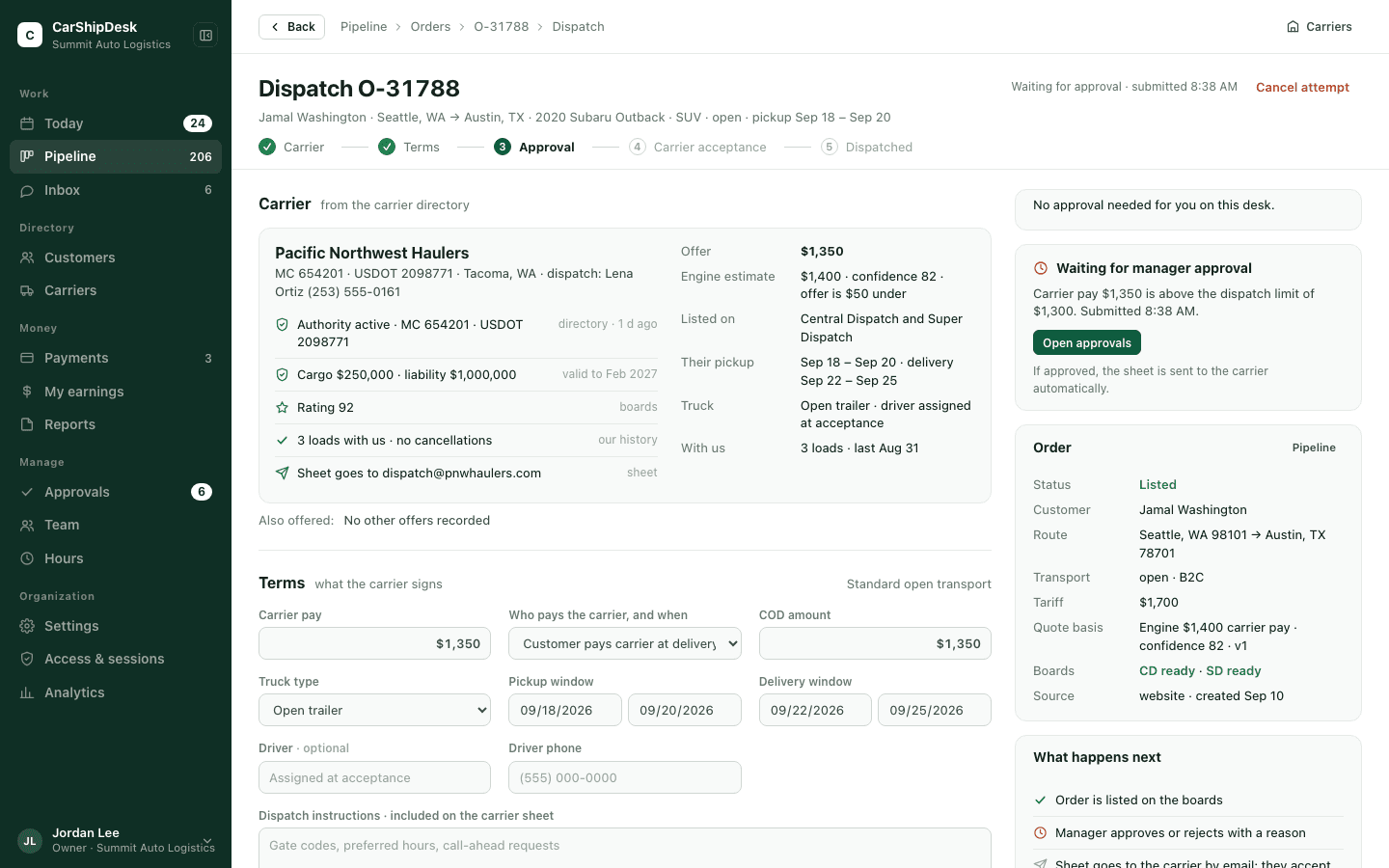
- Every dispatch is a numbered attempt. A replaced carrier stays in the history with its terms and its reason.
- The engine’s estimate sits beside the offer with its confidence, so a low offer is a visible choice, not a surprise.
- The carrier signs online. The sheet goes by email; the carrier accepts or declines with an e-signature.
Approvals
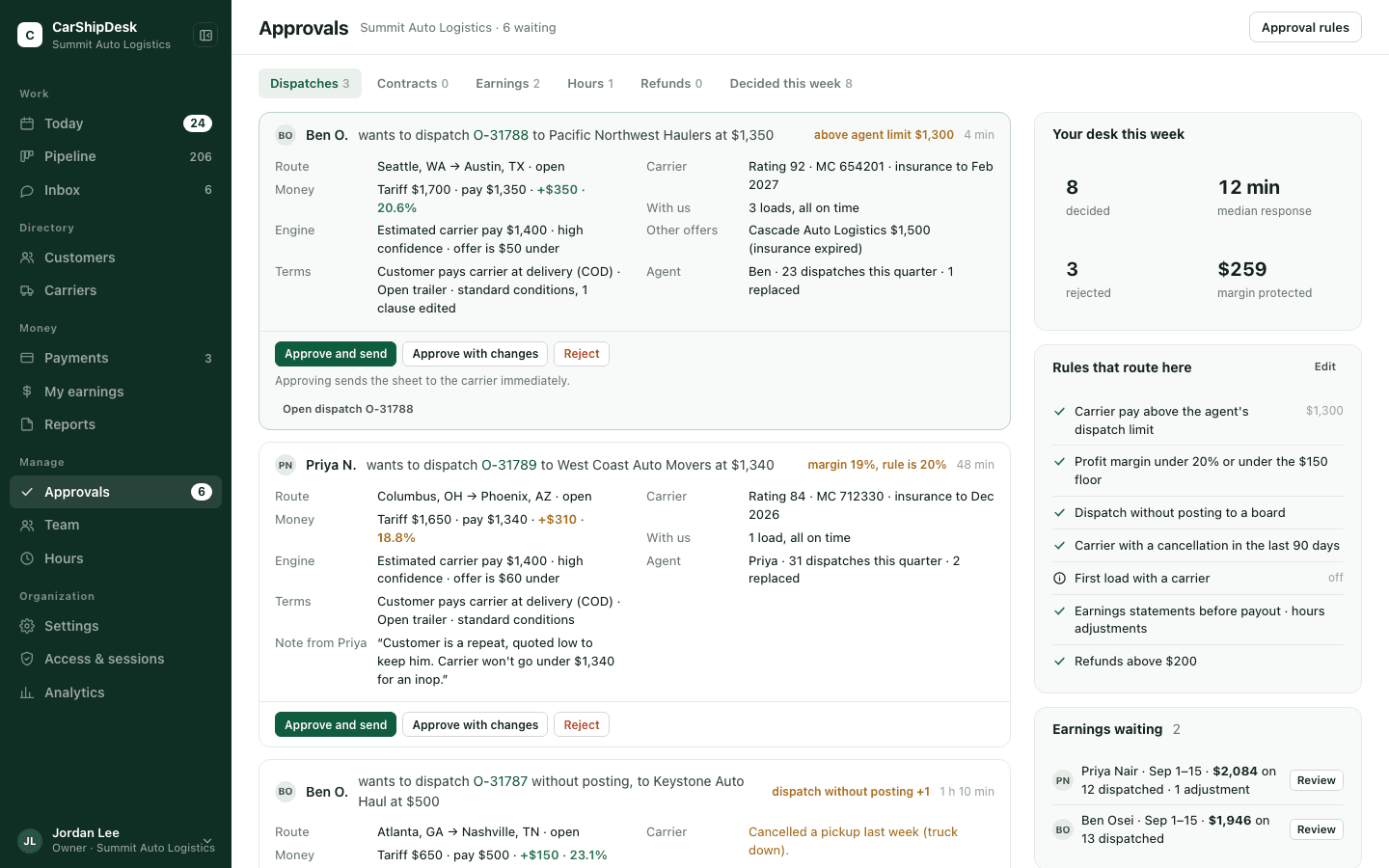
A manager queue with a decided history: dispatches, contracts, earnings, hours and refunds. Rules are configured per organization. When one fires, the card carries the evidence: route, money with margin, engine estimate, carrier history and the agent’s note.
Team
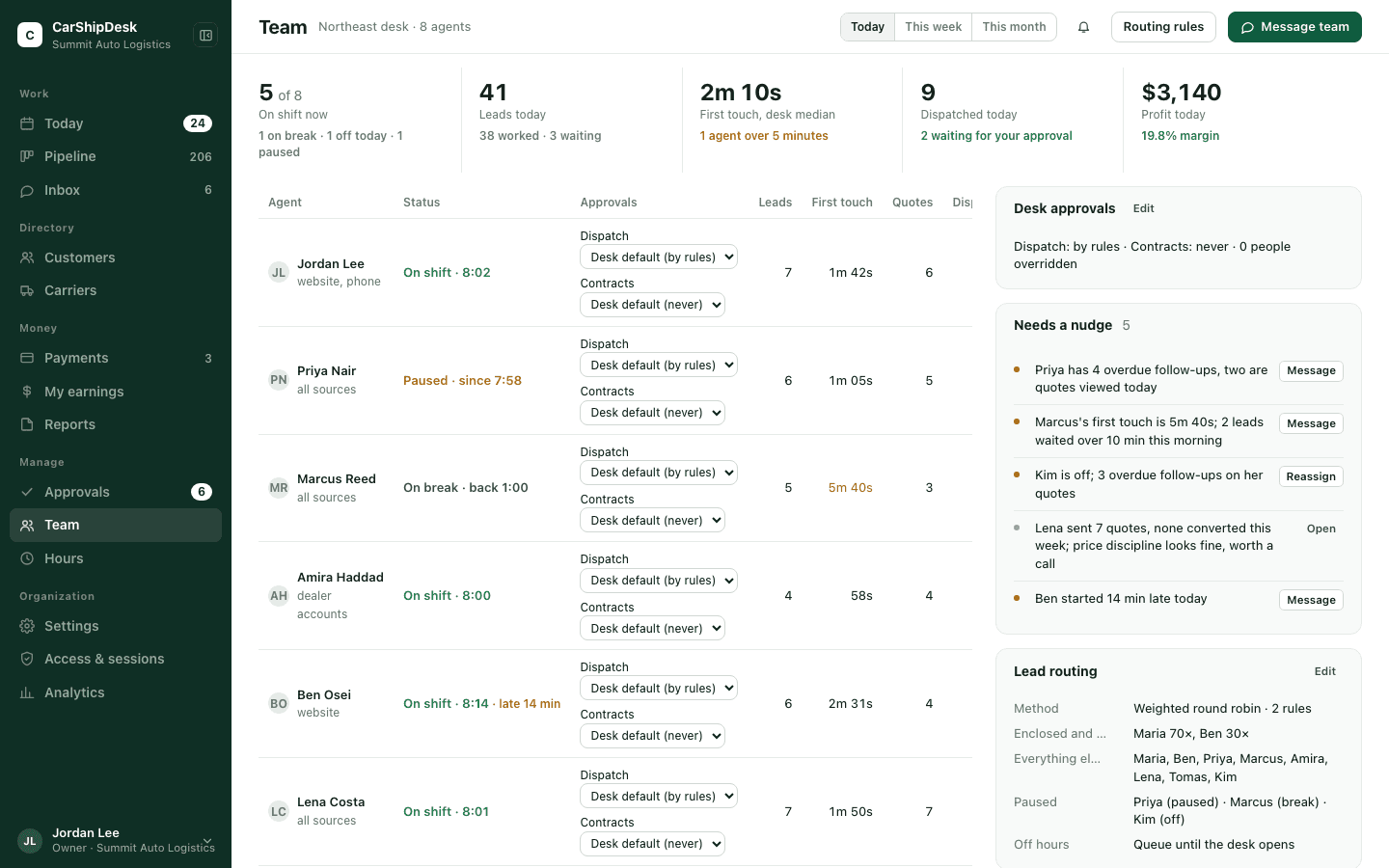
The desk today: who is on shift, leads worked, first-touch time, quotes, dispatches and profit per agent. Every cell opens the records behind it. Agents see their own row and the desk median, never the whole table. Lead routing is visible and editable next to it.
Customers and carriers
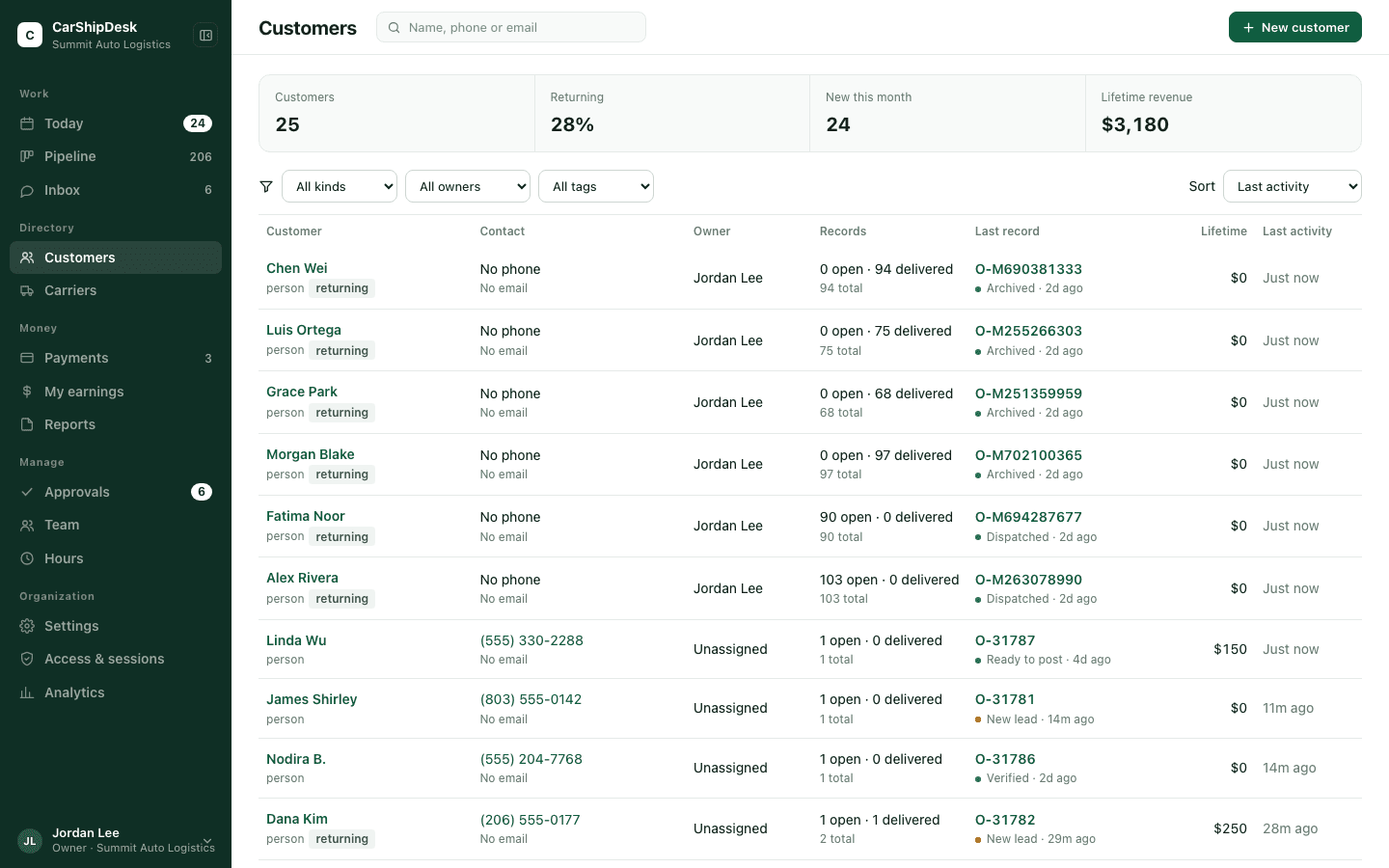
A directory for both sides of every load. Customers are people, dealers and auctions; carriers carry authority, insurance, rating and history, and a blocked list the owner controls. Open the pipeline filtered to any of them in one click.
Access and sessions
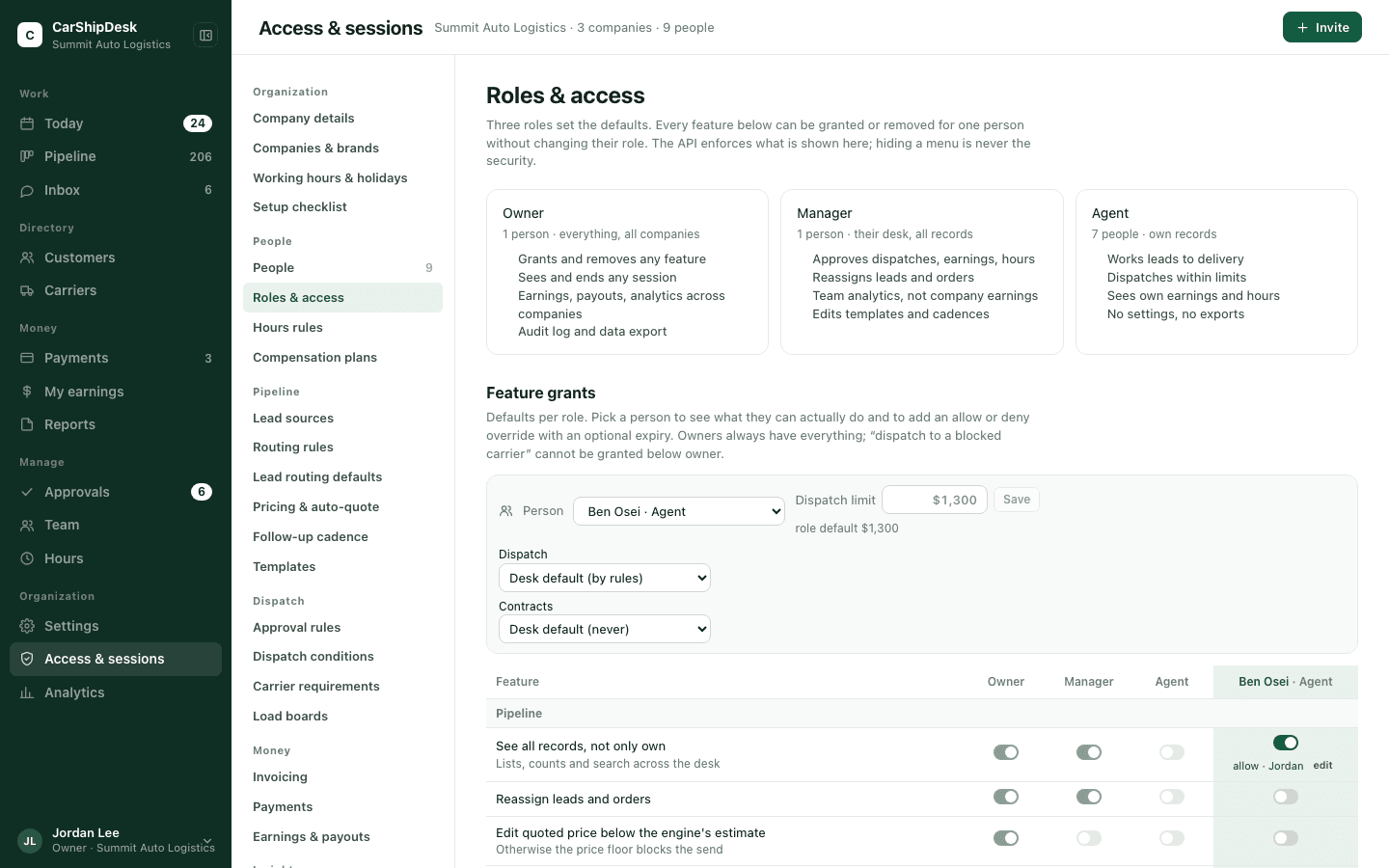
Three roles set the defaults. Every feature is a grant per person, on top of the role, with an optional expiry, and every change is written to the audit log with who and when. Sessions are listed per person with device, browser and IP address; an owner can end one or end them all.
Analytics
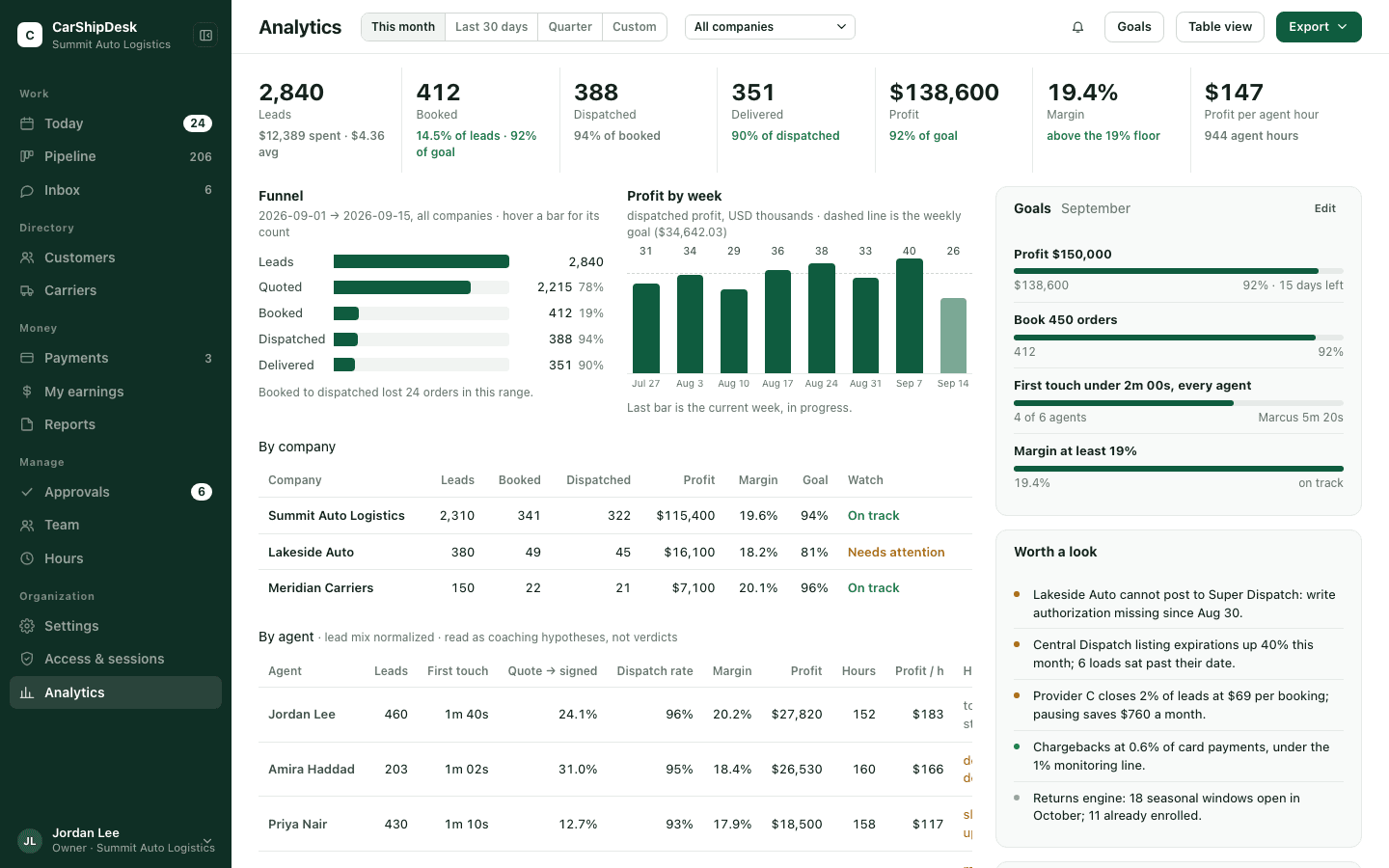
Leads, booked, dispatched, delivered, profit and margin by company, desk and agent, against goals for the month. First-touch time and tracking coverage sit beside the money because they move it. Tables export to CSV, and each export is written to the audit log.
Settings cover the desk: companies and brands, company details, working hours and holidays, people, roles and access, hours rules, compensation plans, lead sources, routing rules, lead routing defaults, pricing and auto-quote, follow-up cadence, templates, approval rules, dispatch conditions, carrier requirements, load boards, invoicing, notifications and the audit log. How data is handled.
See it on your own records.
Pilot brokerages start with an import and a review period. Tell us your desk size and the boards you run.